 heka
Controller settings
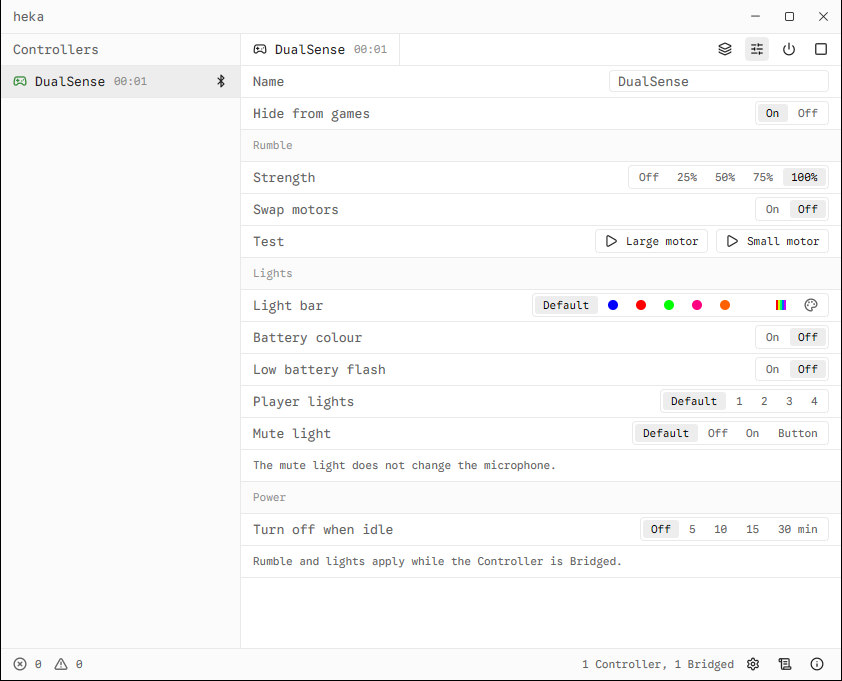
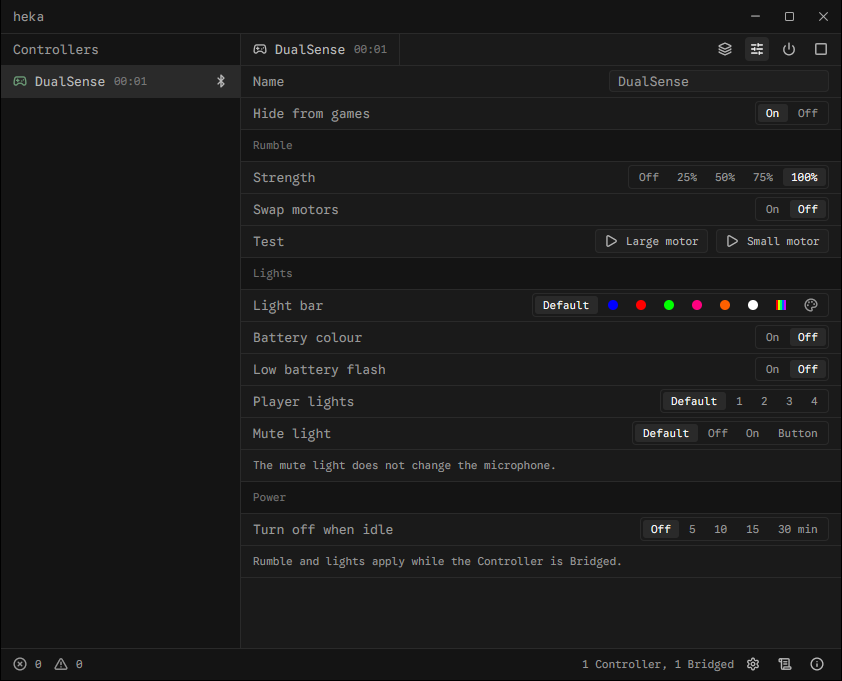
- Name, shown in place of the Controller's model, up to 24 characters.
- Hide from games, on unless you turn it off. See Hiding Controllers.
- Strength, how strongly the Controller rumbles when a game asks: off, 25%, 50%, 75% or 100%.
- Swap motors, off unless you turn it on: what a game sends to the large motor goes to the small one, and the other way round.
- Test runs the Large motor or the Small motor for a second at the chosen strength, so with Off nothing moves. It stops early if you leave the settings.
- Light bar, a colour of your own: one of six, any other from the picker (typed as a hex value or set with the hue, saturation and lightness sliders), or Rainbow, which goes round all the colours every 6 seconds. A colour set by a game wins, so with the PS4 Output Type yours shows while the game sets none. Default leaves the light bar alone.
- Player lights (DualSense only), the pattern of player 1 to 4 on the white lights under the touchpad. Default leaves them alone.
- Battery colour, off unless you turn it on: the light bar shows the battery level. A colour set by a game still wins.
- Low battery flash, off unless you turn it on: the light bar flashes at 20% or less while not charging, also over a game's colour.
- Mute light (DualSense only): Off, On or Button, which the mute button toggles. It does not change the microphone. Default leaves it alone.
- Turn off when idle, off unless you choose 5, 10, 15 or 30 minutes. A Controller on Bluetooth is turned off after that long with no change to its buttons, sticks, triggers or touchpad; moving it does not count. It does nothing while the Controller is read over USB.
Rumble and lights apply while the Controller is Bridged.